
How Can We Help?
How to Add a DNS A record
Easily Create an A Record for Your Domain
For websites, the most important is the A record (“address”), which links a domain or subdomain to an IP address. You can add multiple A records for redundancy or point subdomains to different servers.
Users of HostPanel can manage their domains directly. Here’s how:
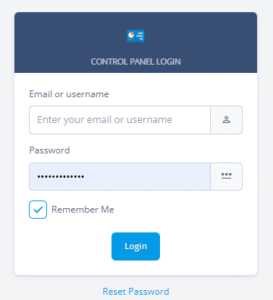
- Log in to Hostpanel’s User Interface and go to Subdomains. The default login URL is https://yourdomain.com/hostpanel (replace yourdomain.com with your actual domain). You’ll find the DNS Editor under the Domains section on the Hostpanel homepage.

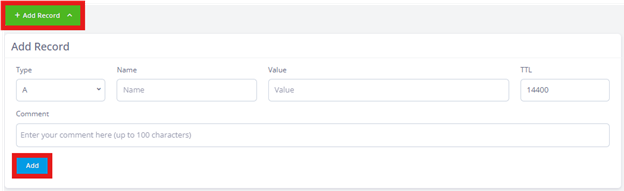
2. Click Add record.
Under the DNS records utility, enter the Name (domain or subdomain). For a subdomain, only type the sub-part (e.g., use blog for blog.domain.com). Set the Type to A record and define the TTL (Time to Live). A lower TTL updates faster worldwide but may increase load on the nameservers if set too low. In the Value field, enter the IPv4 address you want the domain/subdomain to point to. Click Add to save.
The new DNS record will appear in the list immediately, but keep in mind that DNS propagation takes time. In most cases, it completes within a few hours, though it can sometimes take longer. If your domain is still not resolving after 48 hours, the issue is likely not related to propagation.