
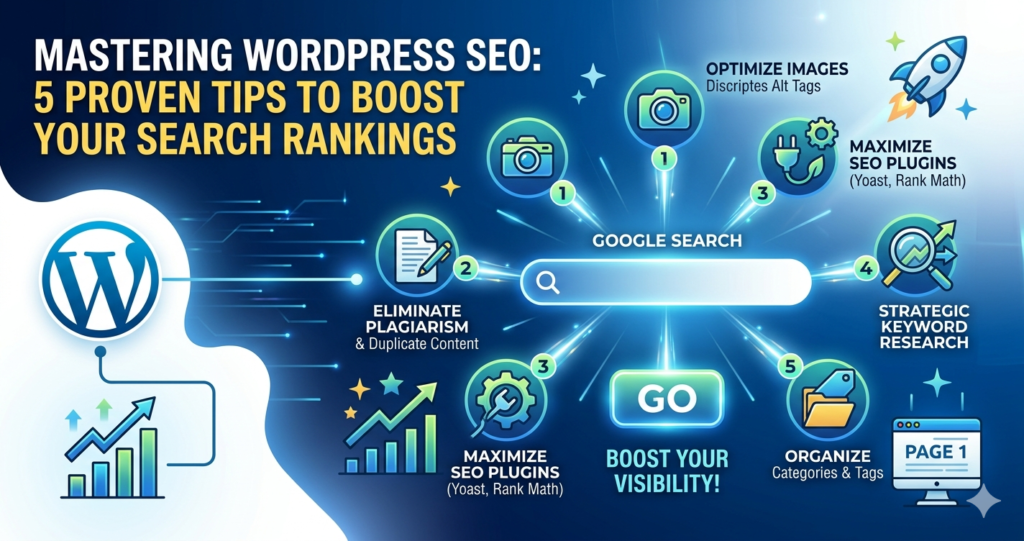
 If you want to drive consistent organic traffic to your business, Search Engine Optimization (SEO) is non-negotiable. The better your SEO strategy, the higher your site climbs on Search Engine Results Pages (SERPs).
Simply put: the closer you are to the #1 spot, the more customers will find your brand. While WordPress is built with SEO in mind, you still need a roadmap to beat the competition.
What is SEO?
SEO stands for Search Engine Optimization. Google uses complex algorithms to evaluate your content, page speed, and usability. If Google can’t “crawl” or understand your WordPress site, it won’t be indexed. This means your only visitors will be people who already know your URL or company name.
Fortunately, WordPress simplifies this process. Its structure helps search bots navigate your posts and categories, making it easier to rank. Here are the top 5 tips to optimize your WordPress site and increase your visibility.
1. Optimize Images with Descriptive Alt Tags
Images make your site visually appealing, but search engines can’t “see” them—they can only read the text. When you upload a file, always fill in the Alt Text field.
Avoid:
IMG0002309.jpgUse:
organic-skincare-routine-guide.jpg
Using keyword-rich, descriptive titles helps your images show up in Google Image Search, providing an extra stream of traffic to your site.
2. Eliminate Plagiarism and Duplicate Content
Content is the engine of your website. To rank well, it must be original. When Google finds the same text on multiple URLs, it struggles to decide which version is more relevant. This can lead to your pages being buried or even penalized.
Be Unique: Ensure every page offers fresh value.
Use Tools: If you’re struggling to rewrite existing ideas, a paraphrasing tool can help you reword sentences while maintaining the original meaning.
Verify: Always run your drafts through a plagiarism checker to ensure your blog posts are 100% authentic before hitting publish.
3. Maximize Your SEO Plugins (Like Yoast or Rank Math)
Many beginners think that simply installing a plugin like Yoast SEO is enough. In reality, a plugin is just a tool—you have to use it.
Every time you write a post, use the plugin to:
Set a Focus Keyword.
Write a compelling Meta Description (this is the snippet people see on Google).
Optimize your SEO Title to encourage clicks.
4. Perform Strategic Keyword Research
Don’t guess what your audience wants. Keyword research reveals the exact phrases your potential customers type into Google.
By identifying these terms, you can create content that answers their specific questions. Use tools like SEMrush or Ahrefs to see what your competitors are ranking for and find “low-hanging fruit”—keywords with high volume but low competition.
5. Use Categories and Tags for Site Structure
WordPress categories and tags aren’t just for organization; they help Google understand your site’s hierarchy.
Categories: Think of these as your “Table of Contents.” They are broad groupings (e.g., Music, Food, Travel).
Tags: Think of these as your “Index.” They are specific descriptors for a single post (e.g., Pancakes, Breakfast Recipes).
A clean structure makes it easier for users to navigate your site, which reduces your bounce rate and signals to Google that your site is high-quality.
The Bottom Line
SEO can feel daunting, but you don’t need to be a technical expert to see results. By choosing WordPress, you’ve already taken the first step. By applying these five tips—optimizing images, ensuring originality, using plugins correctly, researching keywords, and organizing your content—you’ll be well on your way to the first page of Google.
Pro Tip: Ensure you are also using a fast, SEO-friendly theme and a reliable hosting provider to keep your site speed high!